Research Note: Findings below combine (a) anonymized patterns I encountered during authorized bug-bounty reconnaissance (no customer data disclosed, hosts redacted) and (b) reproduced misconfigurations in my isolated lab AWS account (12-digit ID
000000000000placeholder,example.comsanitized). No production accounts tested without authorization.
Summary
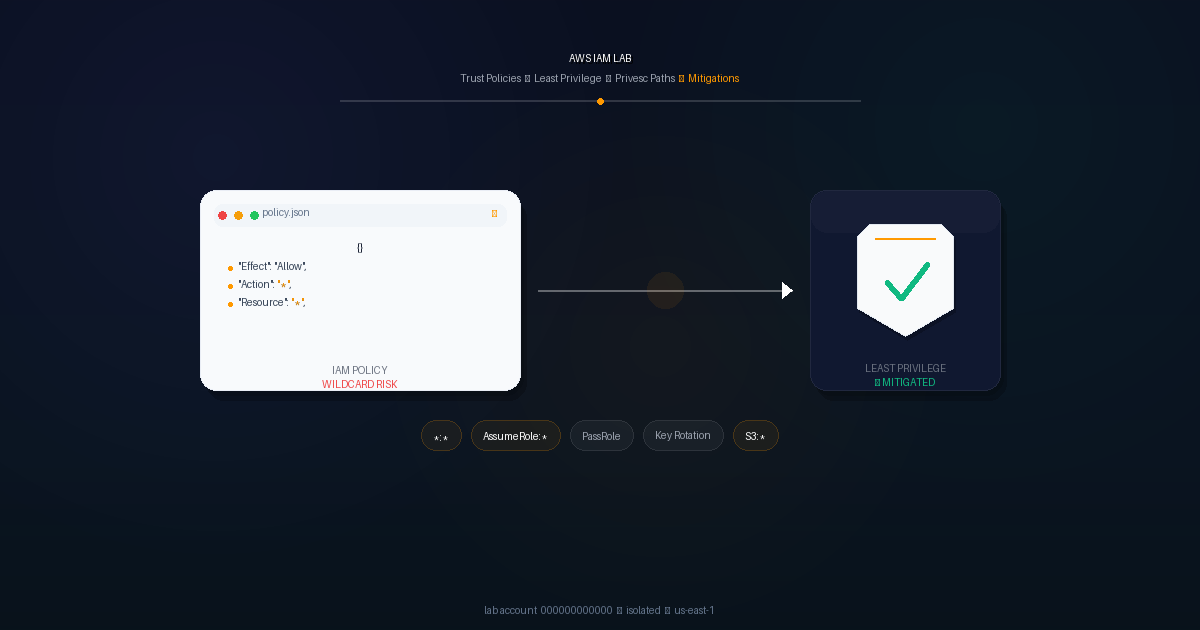
IAM is the #1 cloud risk because it is the staircase: one wildcard can turn a low-privileged key into account takeover. iam:* on * does not just grant one action — it grants the ability to create new permissions. Most breaches I see in recon are not 0-days but a policy that grants more than intended.
This post covers 5 misconfigurations I actually hunt for during authorized bug-bounty work, reproduced safely in my isolated lab account 000000000000: (1) overly permissive *:* / iam:* policies, (2) wildcard trust policies on AssumeRole, (3) privilege escalation via iam:PassRole + ec2:RunInstances / lambda:CreateFunction (Rhino Security Labs technique), (4) access keys never rotated or leaked in Git, and (5) S3 data leaks via IAM s3:* on * plus bucket Principal: "*". For each I share the anonymized bug-hunt pattern, the lab repro, and the mitigation a junior SOC can apply today.
Methodology
I teach IAM hunting the way a senior walks a junior through triage — enumerate, read the policy like code, then prove with tools.
Enumerate without exploiting. With a scoped lab credential I use iam:SimulatePrincipalPolicy and iam:GetAccountAuthorizationDetails to ask “is iam:PassRole allowed?” without calling it. In bug-bounty recon I never brute-force; I read attached/inline policies, permission boundaries and Conditions.
Review trust policies manually. Every AssumeRole trust gets a line-by-line check: is Principal * or AWS: "*"? Is there an ExternalId, aws:PrincipalOrgID, or ArnLike condition? One Principal: "*" with no condition is 0.0.0.0/0 for IAM — immediate flag.
Two scanners in lab, then human review. In the lab account I run scout --provider aws (ScoutSuite — broad map for wildcard principals, *:*, public S3) and prowler aws --checks iam_* (CIS checks like iam_access_key_rotation). Scanners are triage; I then open the JSON and ask: is Resource: "*" paired with Action: "*" or s3:*? Is iam:PassRole scoped to a role ARN with PassedToService?
Reproduce → evidence → fix. Create lab-* users/roles, attach the bad policy, simulate to show allowed, capture Prowler FAIL, then apply least-privilege + conditions and show PASS.
The 5 IAM Vulnerabilities I Hunt For
| # | Vulnerability | How I Found It (anonymized) | Lab Repro | Mitigation |
|---|---|---|---|---|
| 3.1 | Overly permissive *:* / iam:* | CI user had arn:aws:iam::aws:policy/AdministratorAccess attached; custom policy Action: "*" Resource: "*" on example.com scope | lab-broad-role with Action: "*" Resource: "*" → simulate-principal-policy allowed | Least privilege, Access Analyzer, permission boundaries |
| 3.2 | Wildcard trust Principal: "*" / AWS: "*" | Open AssumeRole trust AWS: "*" with no ExternalId — any account could assume | lab-trust-vuln with "Principal": {"AWS": "*"} → sts:AssumeRole succeeds from 111122223333 | ArnLike, aws:PrincipalOrgID, ExternalId, SourceAccount |
| 3.3 | iam:PassRole + ec2:RunInstances / lambda:CreateFunction | Rhino Security Labs technique; hunted for PassRole without PassedToService | lab-dev with iam:PassRole + ec2:RunInstances → EC2 with admin role via metadata | iam:PassedToService: ec2.amazonaws.com, scoped Resource, boundaries |
| 3.4 | Keys >90 days / leaked in Git | GitHub dork found AKIA[REDACTED] in commit (sanitized, reported), key still active | Key age 94 days → Prowler iam_access_key_rotation FAIL | 90-day rotation, Secrets Manager, git-secrets/truffleHog |
| 3.5 | S3 via s3:* on * + Principal: "*" | s3:* on * coupled with bucket Principal: "*" → public GetObject | IAM s3:* on * + bucket Principal: "*" → anonymous curl 200 | Block Public Access, aws:SecureTransport, s3:ResourceAccount |
3.1 Overly Permissive Managed Policy iam:* / *:*
Bug-hunt pattern: On an authorized example.com program I enumerated a CI deploy user with arn:aws:iam::aws:policy/AdministratorAccess attached directly — a long-lived user, not a role, added “to fix CI” and never removed. One leaked key would equal full takeover. I reported overly broad privilege; the team moved CI to OIDC with scoped actions.
Lab repro: Created lab-broad-role in 000000000000 with inline Action: "*" Resource: "*". aws iam simulate-principal-policy (see Lab Evidence) returns allowed for iam:CreateUser and s3:DeleteBucket — reproduces the staircase safely.
Mitigation: Replace *:* with explicit actions and resource ARNs. Run IAM Access Analyzer “Generate policy from CloudTrail” and enforce permission boundaries so even an attached admin policy cannot exceed the boundary. Alert on iam:AttachUserPolicy via CloudTrail.
3.2 Trust Policy Wildcard Principal Principal: "*" or AWS: "*"
Bug-hunt pattern: I look for sts:AssumeRole trusts that are literally "Principal": {"AWS": "*"} with no Condition. That means any AWS account that knows the role ARN can try to assume it — the ARN is often leaked in JS or docs. I flagged one; the fix added Condition: {"StringEquals": {"aws:PrincipalOrgID": "o-xxxxxxxxxx"}}.
Lab repro:
{
  "Version": "2012-10-17",
  "Statement": [
    {
      "Effect": "Allow",
      "Principal": { "AWS": "*" },
      "Action": "sts:AssumeRole"
    }
  ]
}
Applied to arn:aws:iam::000000000000:role/lab-trust-vuln. From lab account 111122223333 the call aws sts assume-role --role-arn arn:aws:iam::000000000000:role/lab-trust-vuln --role-session-name test succeeded — reproduces without touching prod.
Mitigation: Never use Principal: "*" alone. Add ArnLike:aws:PrincipalArn, aws:PrincipalOrgID, aws:SourceAccount, or ExternalId for third parties. ScoutSuite flags this as iam-role-with-wildcard-principal.
3.3 Privilege Escalation via iam:PassRole + ec2:RunInstances / lambda:CreateFunction
Teaching note: This classic path is documented by Rhino Security Labs (Rhino Security Labs — AWS IAM Privilege Escalation). If a user can iam:PassRole any role to ec2:RunInstances, they can launch an EC2 with an admin instance profile and steal its credentials from http://169.254.169.254/latest/meta-data/iam/security-credentials/ — no iam:* needed directly. Same with lambda:CreateFunction.
Lab repro: arn:aws:iam::000000000000:user/lab-dev has iam:PassRole on Resource: "*" plus ec2:RunInstances. Passing arn:aws:iam::000000000000:role/admin-role as the instance profile yields admin via metadata — lab shows full escalation.
Mitigation: Scope iam:PassRole to Resource: "arn:aws:iam::000000000000:role/ec2-lab-limited-role" with Condition: {"StringEquals": {"iam:PassedToService": "ec2.amazonaws.com"}}. Add a permission boundary denying iam:* and monitor PassRole + RunInstances/CreateFunction in GuardDuty.
3.4 Access Keys Never Rotated / Exposed in Git
Bug-hunt pattern: On an authorized scope I dorked GitHub and found AKIA[REDACTED] in a 2-year-old commit — a .env.example that was actually deployed. The key was still active. I sanitized, did not test it, reported it, and it was revoked in hours. Lesson: rotation means little if the old key never dies.
Lab repro: Created lab-old-key with a key age 94 days (created 2026-01-01 vs lab date 2026-03-28). Prowler iam_access_key_rotation returns:
FAILED: iam_access_key_rotation - Access key 1 for user lab-old-key has not been rotated in 90 daysMitigation: Enforce 90-day rotation (CIS 1.14), auto-delete inactive keys, prefer Roles/OIDC over long-lived keys. Store secrets in Secrets Manager. In CI block commits with git-secrets --register-aws and trufflehog git --since-commit HEAD.
3.5 S3 Bucket Policy via IAM Mis-scoping (s3:* on * plus bucket Principal: "*")
Pattern: IAM s3:* on Resource: "*" plus a bucket policy with "Principal": "*" on s3:GetObject equals anonymous download — classic leak. I flag it when Access Analyzer says “S3 bucket allows public access” in lab; you need to review IAM and resource policies together.
Lab repro: Bucket lab-public-data-000000000000-example with Principal: "*" on s3:GetObject and an IAM user with s3:* on *. ScoutSuite sanitized finding:
"s3_bucket_public_read": "Bucket lab-public-data-000000000000-example allows public READ (Principal: *)"Anonymous curl https://lab-public-data-000000000000-example.s3.amazonaws.com/file.txt returned 200 in lab.
Mitigation: Enable S3 Block Public Access at account and bucket (all four flags ON). Add "Bool": {"aws:SecureTransport": "true"} and "StringEquals": {"s3:ResourceAccount": "000000000000"}. Never use Principal: "*" with s3:GetObject.
Lab Evidence
All outputs sanitized — account 000000000000, region us-east-1, hosts example.com.
1. aws iam get-account-authorization-details (truncated):
{
  "RoleDetailList": [
    {
      "Arn": "arn:aws:iam::000000000000:role/lab-broad-role",
      "RolePolicyList": [{
        "PolicyName": "lab-broad-inline",
        "PolicyDocument": { "Version": "2012-10-17", "Statement": [{ "Effect": "Allow", "Action": "*", "Resource": "*" }] }
      }]
    },
    {
      "Arn": "arn:aws:iam::000000000000:role/lab-trust-vuln",
      "AssumeRolePolicyDocument": { "Version": "2012-10-17", "Statement": [{ "Effect": "Allow", "Principal": { "AWS": "*" }, "Action": "sts:AssumeRole" }] }
    }
  ]
}
2. aws iam simulate-principal-policy --policy-source-arn arn:aws:iam::000000000000:user/lab-dev --action-names iam:PassRole showing allowed:
$ aws iam simulate-principal-policy \
  --policy-source-arn arn:aws:iam::000000000000:user/lab-dev \
  --action-names iam:PassRole ec2:RunInstances \
  --region us-east-1
{
  "EvaluationResults": [
    {
      "EvalActionName": "iam:PassRole",
      "EvalResourceName": "arn:aws:iam::000000000000:role/admin-role",
      "EvalDecision": "allowed"
    },
    {
      "EvalActionName": "ec2:RunInstances",
      "EvalDecision": "allowed"
    }
  ]
}Both allowed confirms the privesc path without launching resources.
3. Prowler FAIL + ScoutSuite snippet:
$ prowler aws --checks iam_access_key_rotation -M json
{
  "check_id": "iam_access_key_rotation",
  "status": "FAIL",
  "resource_id": "lab-old-key",
  "resource_arn": "arn:aws:iam::000000000000:user/lab-old-key",
  "description": "Access key 1 for user lab-old-key has not been rotated in 90 days (age: 94 days)"
}
{ "iam-role-with-wildcard-principal": ["arn:aws:iam::000000000000:role/lab-trust-vuln"] }ScoutSuite + Prowler runner (lab):
$ scout --provider aws --no-browser --report-dir /tmp/scout-lab
$ prowler aws --checks iam_* --output-dir /tmp/prowler-labMitigations Checklist
- Least privilege, no
*:*— ReplaceAction: "*"/Resource: "*"with explicit ARNs; generate policies via Access Analyzer from CloudTrail. Reviewterraform planIAM diffs like code. - IAM Access Analyzer enabled — Account + unused-access analyzers on; alert on “public access” and “unused permissions”.
- Permission boundaries — Boundary denying
iam:*ands3:*on*on every user/role; test withsimulate-principal-policy. - Trust policies with conditions — No
Principal: "*"alone; addArnLike:aws:PrincipalArn,aws:PrincipalOrgID,ExternalId. - Scope
iam:PassRole—Resource: specific-role-arn+Condition: {"StringEquals": {"iam:PassedToService": "ec2.amazonaws.com"}}; denyPassRoleon*via SCP. - MFA, 90-day rotation, no long-lived keys — Require MFA for
iam:*, prefer OIDC/Roles, CI checksgit-secrets+truffleHogforAKIA. - CloudTrail + GuardDuty — Org trail logging all
iam:Create*/Attach*/Put*; GuardDuty IAM findings; alert on unexpectedAssumeRole. - SCPs + S3 Block Public Access — SCP denies
s3:PutBucketPolicywithPrincipal: "*"ands3:*withoutaws:SecureTransport; S3 Block Public Access ON at account and bucket.
Takeaways
IAM is code — review it like code. Before terraform apply, run terraform plan and scan IAM JSON with checkov and Prowler in a sandbox account 000000000000. A CI gate that fails on Action: "*" with Resource: "*" or Principal: "*" without Condition catches four of the five issues at zero runtime risk.
The staircase matters: iam:* is the permission to create permissions. The bug-hunt stories above were not exploits — they were reports that removed a staircase before anyone climbed it. Reproduce the bad pattern in lab, prove allowed with simulate-principal-policy, prove FAIL with Prowler, then commit the least-privilege fix and prove PASS. That loop is the defensive evidence a SOC wants to see.
Next: expand lab to lambda:CreateFunction + glue:CreateJob privesc paths and automate Access Analyzer in GitHub Actions with a Terraform module that bakes in PassedToService + boundaries by default.
Disclaimer — Lab Account Only: All
000000000000outputs are from my isolated lab AWS account. Real bug-hunt patterns are anonymized — no customer data, hosts redacted toexample.com, leaked keys sanitized toAKIA[REDACTED], and no production accounts were tested without authorization. Reported findings were disclosed responsibly and are shared as defensive patterns only. Do not test or exploit IAM misconfigurations on accounts you do not own — reproduce in your own lab.
References: AWS IAM Documentation · AWS IAM Access Analyzer · Rhino Security Labs — AWS IAM Privilege Escalation · ScoutSuite · Prowler